
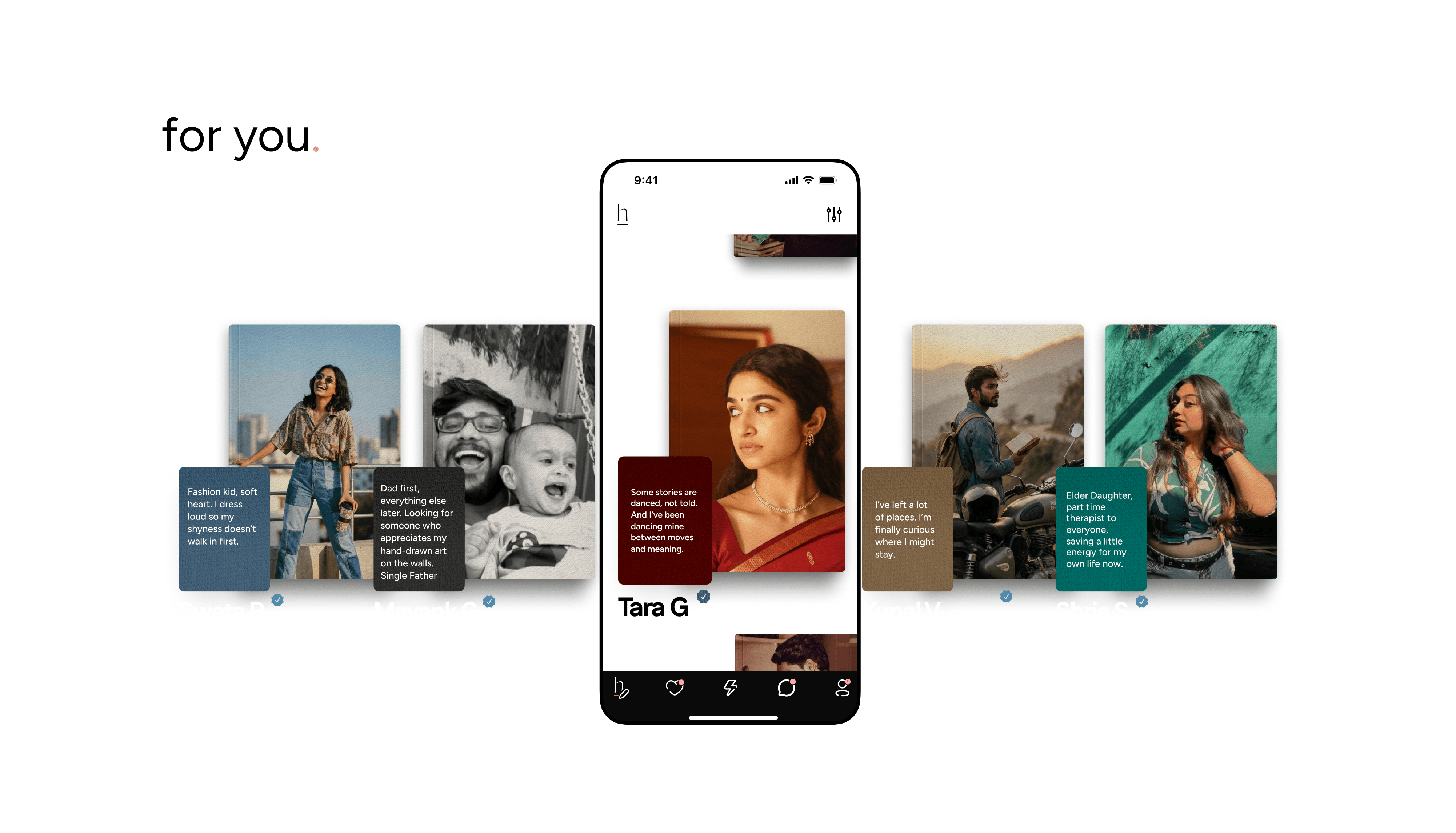
The For You page (⚡ icon in the navigation bar) is where HumansHere brings matches to you. Think of it as your daily feed of potential connections: a vertical scroll of profiles, their book covers, and bios.
How It Works
Free members see 3 out of 10 profiles a day; premium members see all 10 profiles a day.
These profiles stay visible for 24 hours. After that, the page refreshes with new suggestions, so if someone catches your eye, don’t wait too long.
You can also see useful context on the For You page:
Verified badge
Active today status
New here tag for fresh profiles
Preferences & Filters
On the top-right corner, tap the preferences icon. Here you’ll find:
Standard Preferences (available to everyone)
Taken Preferences (advanced filters for Taken users)
You can set these as:
Soft preferences → Just a filter; the feed may still show other profiles.
Strong preferences → Tick “Match only within this preference”. Profiles shown will strictly match what you’ve chosen, and you’ll see a “Preferred” tag in list view.
For example: you could filter for people within a certain distance and of a particular height. Tap Done to refresh your feed with the new settings.
Note: Your preferences are private. No one else can see them, they only shape your experience.
Behind-the-Scenes Matching
Even without filters, the For You page is curated by our matching algorithm. Every entry you write, preference you set, and like you send helps HumansHere learn your style and recommend people who actually feel like a match.