
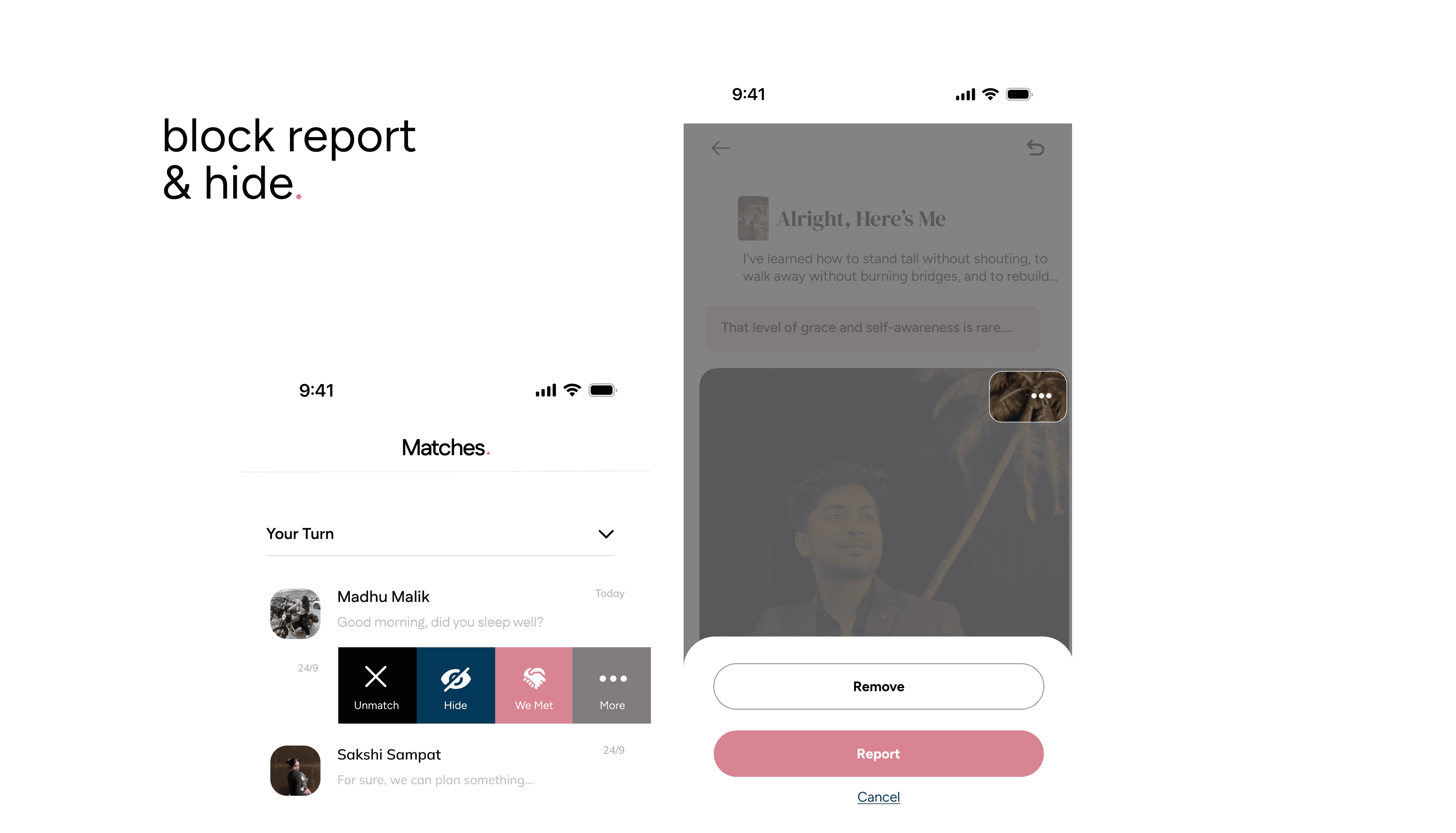
Sometimes you need more control over your Matches and conversations. HumansHere gives you three options: Hide, Block, and Report each serving a different purpose.
Hide a Chat Conversation
Whether you need a break or just want a cleaner Matches tab, hiding keeps things organized while leaving the door open to reconnect.
To Hide a Chat:
Slide the chat with the person you want to hide.
Tap the Hide button.
The chat will move to the Hidden section at the bottom of your Matches tab.
To Unhide a Chat:
Slide the hidden chat again.
Tap the Unhide button.
Keep in mind:
If a hidden Match messages you, they will remain in the hidden section.
Matches with no activity in 14 days are automatically hidden, but you can unhide them anytime.
Block a Profile
Blocking someone simply clears them from your list. No action is taken against them, and they won’t be notified.
To Block Someone:
Tap the three dots (⋮) on their profile.
Tap Block.
This is best when you just don’t want to keep someone in your feed without reporting them.
Report a Profile
Reporting is for when you feel unsafe, encounter inappropriate behavior, or suspect a fake profile.
Important: Reporting is confidential and permanent. Once you report:
You won’t see their profile again.
They won’t see you, your conversations, Likes, or Matches.
To Report Another User:
View the profile you want to report (in For You, Likes You, or Matches).
Tap the three dots (⋮) in the top right.
Tap Report.
Choose a reason for reporting.
Once submitted, their profile will be blocked.
For details on how reports are handled, see our Terms and Conditions. With Hide, Block, and Report, you stay in control of your experience, whether you just need a break, want to tidy up, or need to keep the community safe.