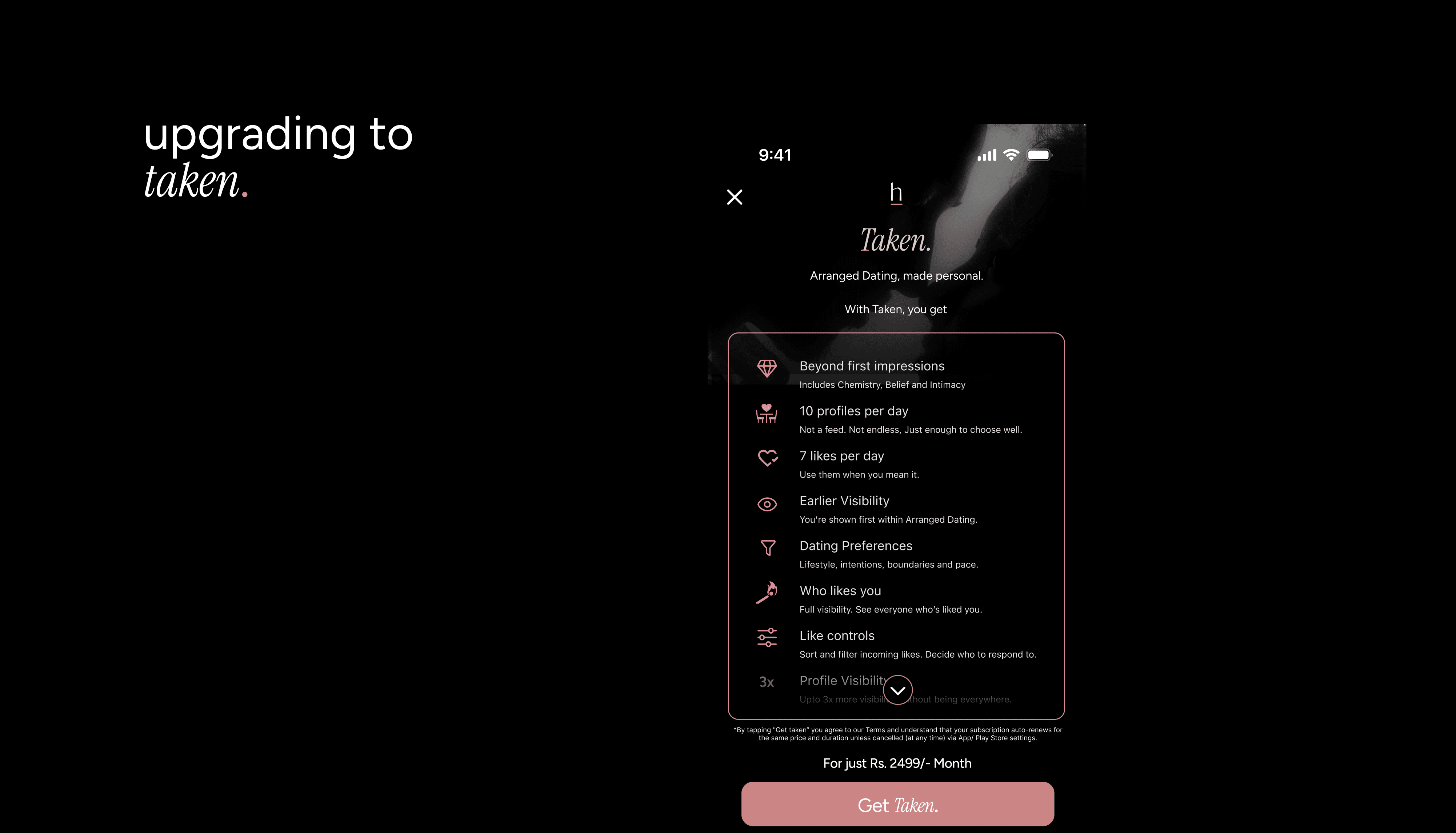
Ready to unlock more? Taken gives you deeper categories, more visibility, and priority features designed to help you connect in meaningful ways. Here’s how to get started:
How to Subscribe
Open the app and tap your Profile Icon (far right on the navigation bar).
Scroll down to the Arranged Dating section.
Tap Get Taken on the right side of the screen.
You’ll be redirected to the App Store (iOS) or Google Play (Android) to confirm your purchase.
Payment Options
iOS Users: Your payment will be processed through the Apple App Store using the payment details linked to your Apple ID.
Android Users: Your payment will be processed through Google Play using the payment details linked to your Google account.
Important to Know Before Upgrading
Complete Your Profile First: Taken visibility works best when your entries are filled out, stand out more by finishing your story before upgrading.
Confirmation Email: After subscribing, you’ll receive a confirmation email from Apple or Google with your payment details.
Private Subscription: Your Taken status is private. No one else on HumansHere can see it.
How Billing Works
Monthly Plan: Billed every month and auto-renews unless canceled at least 24 hours before the next billing cycle.
Renewals: You’ll be charged for renewal within 24 hours of your current period ending.
Cancel Anytime: If you don’t want to continue, just cancel auto-renew in your device settings.