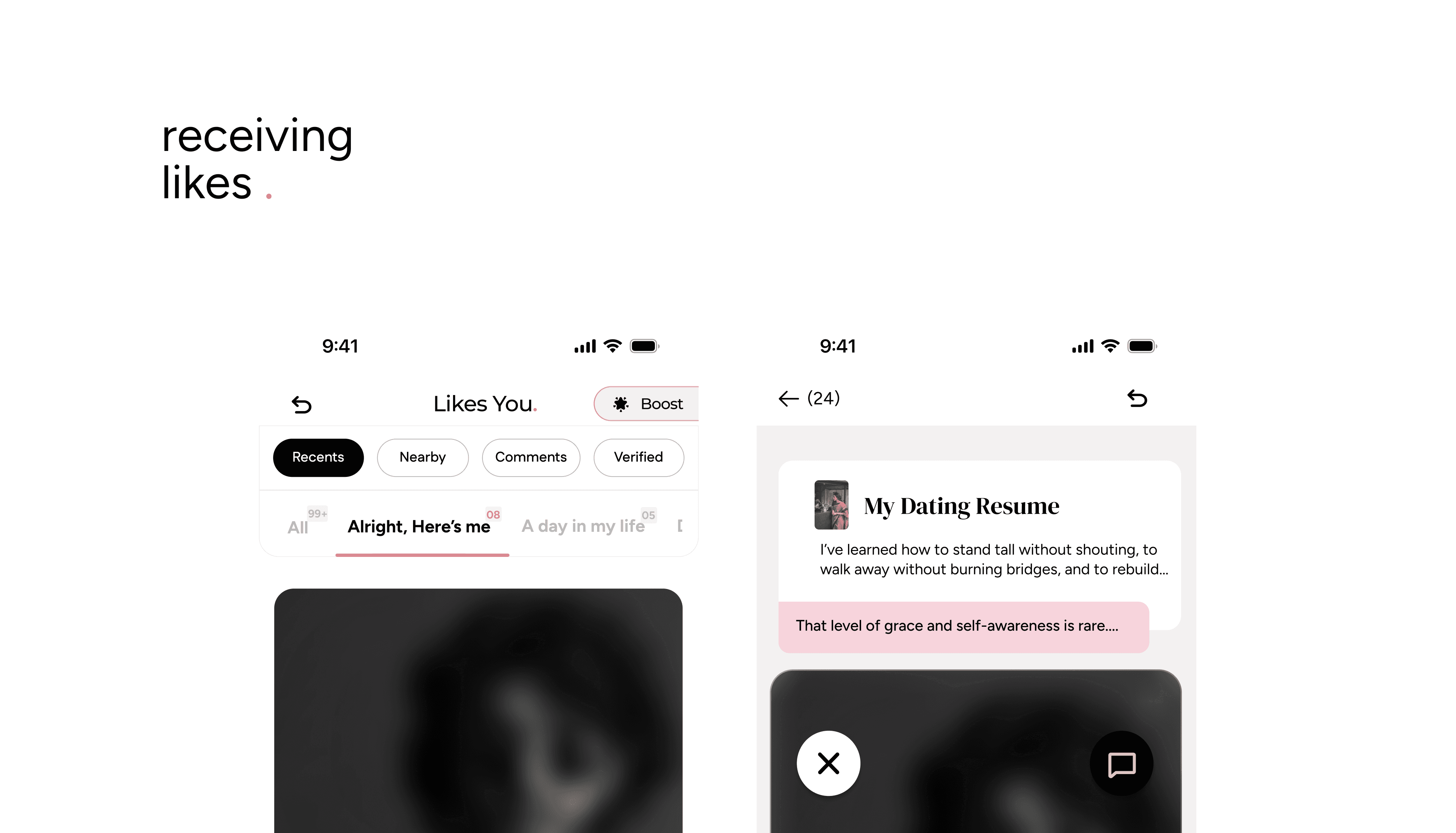
When someone sends you a Like, you’ll see a badge alert on the heart icon in your navigation bar. This is your Your Move page: the place where all your incoming Likes land.
How It Works
Tap the heart icon to open Your Move.
Free members view one Like at a time and can choose to match or skip.
Taken members can see all Likes at once by tapping All on the top-left.
Filters for Taken Members
Taken members can sort incoming Likes to manage them better. At the top, you’ll find:
Recent → (default view) newest Likes first
Nearby → people closer to your location
Comments → only Likes with comments
Verified → only Likes from verified profiles
This makes it easier to focus on the Likes that matter most to you.
Entry-Specific Sorting
Just below the filters, you’ll see tabs for each of your entries. Each tab has a counter showing how many Likes that entry received. Tap a tab to see exactly who Liked that piece of your story.
Match or Skip
When you open a Like, you can:
Match → start a conversation.
Skip → decline the Like.
Important: Once you skip, that Like is gone. Taken members, however, can use Backtrack Rejects to undo a skip if they change their mind. With these tools, the Your Move page gives you control: whether you want to take it slow one at a time, or quickly sort through everyone who’s shown interest.